


Moxfield is a free, web-based deck builder for Magic: The Gathering that supports every major format — Commander, Standard, Modern, Legacy, Pioneer, and more. Most players discover it quickly. Most never get past the surface.
- What is Moxfield, and Why Does the MTG community use it
- Setting Up Moxfield the Right Way
- Creating Your Account and Profile
- Navigating the Deck Editor for the First Time
- Choosing the Right Format Settings Before You Build
- The Complete Moxfield Feature Breakdown
- Card Search, Autocomplete, and Bulk Edit
- The Package System — Moxfield’s Most Underused Feature
- Global Tags and the #! System
- Mana Curve, Deck Stats, and Sample Hands
- How to Write a Primer on Moxfield
- Moxfield’s EDHREC Integration
- Moxfield Playtesting
- Moxfield vs. Archidekt — A Format-by-Format Verdict
- What Most People Get Wrong About Moxfield
- Conclusion
- FAQs
- Q: Is Moxfield completely free, or does Patreon unlock extra features?
- Q: How do Moxfield packages work, and when should I use them?
- Q: What is the difference between Moxfield and Archidekt for Commander?
- Q: How do I write and publish a primer on Moxfield?
- Q: Can I track my physical card collection on Moxfield?
- Q: How do I export a Moxfield deck to MTG Arena, MTGO, or Tabletop Simulator?
- Q: Does it work offline, or does it always need internet?
- Q: What are global tags and the #! system in Moxfield?
The problem is real: you build a deck, share the link, and assume you’ve used the platform. Meanwhile, the package system, global tags, primer editor, and EDHREC integration sit untouched. That gap between basic use and actual power use costs you hours of redundant work every time you start a new build.
This guide covers everything — from first login to advanced features that experienced players rely on daily.
What is Moxfield, and Why Does the MTG community use it
Moxfield is the dominant MTG deck builder by traffic and community adoption. According to Semrush, moxfield.com drew approximately 15.6 million visits per month as of late 2025, outpacing Archidekt (6.44M) and MTGGoldfish (5.75M) by a significant margin.
The platform is entirely free to use. Every functional feature — deck building, playtesting, primer writing, EDHREC integration, export formats — requires no payment. A Patreon tier starting at $1/month removes ads and adds a supporter badge. That is the full extent of the paywall.
What separates Moxfield from rivals is not any single feature. It is the combination of a clean editor, a deep analytical layer, community publishing tools, and a live connection to EDHREC — all in one browser tab, on any device.
Setting Up Moxfield the Right Way
Creating Your Account and Profile
Registration takes under two minutes. Visit moxfield.com, click Sign Up, enter an email address and username, and confirm via the link sent to your inbox. The Sign In button lives in the top-left on every page afterward.
After login, set your display preferences immediately — light or dark mode, default card view (text or image), and preferred sort order. These settings carry across all your decks and save time on every future build.
Navigating the Deck Editor for the First Time
Click New Deck, select your format, and name the list. The card search bar appears on the left panel with real-time autocomplete — start typing any card name and matching results populate instantly without hitting Enter.
Cards add to the main board by default. Switch to the sideboard or maybeboard by toggling the target zone before adding. The drag-and-drop interface lets you reorganize cards across categories visually, while the text input mode accepts full decklists pasted from any source.
Choosing the Right Format Settings Before You Build
Format selection matters immediately. Moxfield validates legality against current ban lists in real time, so a card flagged in red means it is banned or restricted in your chosen format. Commander decks automatically enforce the 100-card singleton rule and color identity filters — if your commander is Atraxa, Praetors’ Voice, you cannot accidentally add a red card without an immediate alert.
Set your commander in the designated commander zone, not the main deck. This activates color identity validation and enables the EDHREC recommendation panel.
The Complete Moxfield Feature Breakdown
Card Search, Autocomplete, and Bulk Edit
The autocomplete system recognizes partial names, card codes, and even misspellings. For large imports, the bulk edit panel accepts plain text decklists — paste a full 100-card Commander list, and Moxfield parses it in seconds, flagging any unrecognized names individually.
Quick Add mode lets you type a card name and quantity in rapid succession without touching the mouse — useful when copying a list from a tournament report or EDHREC page.
The Package System — Moxfield’s Most Underused Feature
Packages let you save a group of cards — a ramp suite, a removal package, a landbase — and slot that entire group into any deck with one click. After testing decks across multiple formats, this feature alone saves more time than any other single tool on the platform.
To create one: build a deck normally, select the cards you want to save as a group, and save them as a named package. From any future deck, search your packages and insert the group. Players who run similar staples across ten Commander decks — Arcane Signet, Sol Ring, Swords to Plowshares — build these once and never search for them individually again.
Global Tags and the #! System
Standard tags organize cards within a single deck. Global tags, marked with the #! prefix, apply permanently across every deck that contains the tagged card. Tag Sol Ring as #!Ramp once, and every future deck that includes Sol Ring automatically categorizes it under Ramp — even on a fresh import.
This system is the backbone of organized multi-deck accounts. Players using DeckTuner workflows, where decks are imported and tuned rapidly, rely on global tags to maintain consistent organization without manual re-sorting.
Mana Curve, Deck Stats, and Sample Hands
The Stats tab generates a full visual breakdown: mana curve by converted mana cost, color distribution pie chart, card type breakdown, and mana health score. The Sample Hands tool simulates opening draws, letting you test mulligan decisions before the cards arrive in the mail.
These tools answer one question directly — does this deck function consistently? — without requiring a single physical game.
How to Write a Primer on Moxfield
A Moxfield primer is a full written deck guide published directly on your deck page, accessible to anyone with the link. Streamers, content creators, and the Card Kingdom blog regularly publish primers here because the platform handles formatting, navigation, and visibility automatically.
The primer editor runs on full Markdown — headers, bold, italics, bullet lists, hyperlinks, and code blocks all render correctly. A split-mode preview shows formatted output in real time while you write. Moxfield also auto-generates a table of contents from your H2 and H3 headers, so readers can jump to specific sections without scrolling.
A functional primer structure looks like this: a brief overview of the commander and strategy, a card-by-card breakdown by category (ramp, draw, removal, win conditions), a sample game plan turn by turn, and a budget or upgrade section. Decks with detailed primers receive significantly more community engagement and deck follows than lists with no description.
Moxfield’s EDHREC Integration
Moxfield sends Commander deck data to EDHREC daily. Every deck you publish on Moxfield feeds into EDHREC’s recommendation statistics — the “% of decks” figures on EDHREC card pages reflect, in part, what Moxfield users are actually playing.
Inside the Moxfield deck editor, the EDHREC panel surfaces card recommendations specific to your commander and current list. Click the EDHREC button in the deck toolbar, and a sidebar populates with high-synergy cards, sorted by inclusion rate. Add directly from that sidebar without leaving the editor.
For a practical example: building a Wilhelt, the Rotcleaver Zombie tribal deck, the EDHREC panel immediately surfaces Wilhelt-specific includes like Gravecrawler, Diregraf Colossus, and Death Baron — sorted by how frequently they appear in published Wilhelt lists. This replaces an entire browser tab of manual EDHREC searching.
Moxfield Playtesting
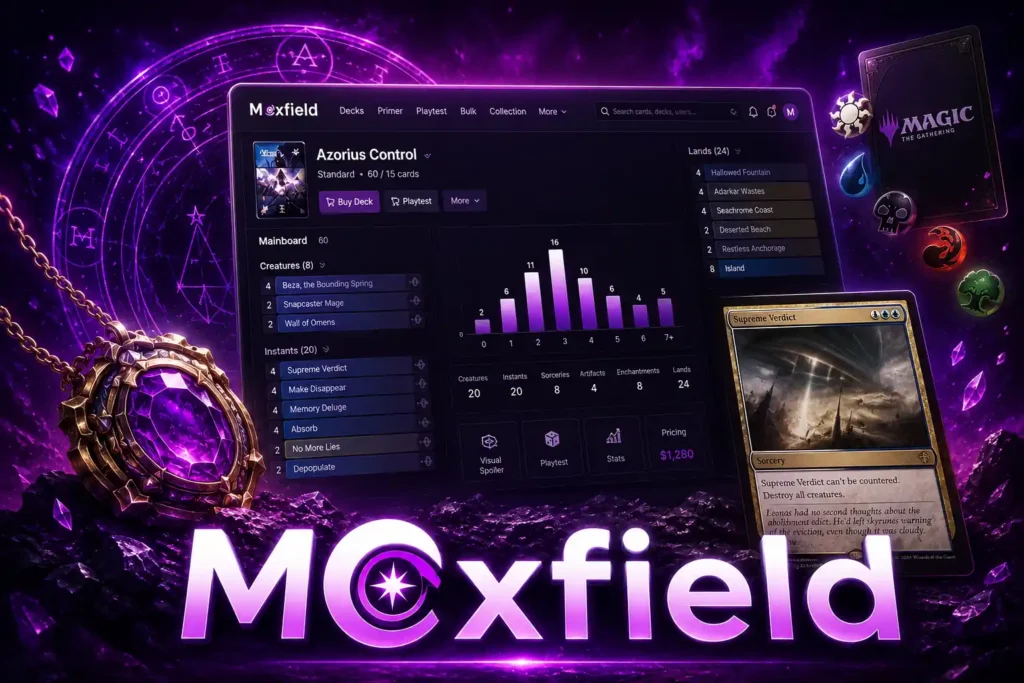
The playtest mode simulates a full game environment in the browser. Draw opening hands, play cards to the battlefield, move cards to the graveyard or exile zone, and track mana across turns — all without an opponent.
After testing Commander decks in fishbowl mode before purchasing, the most common finding is mana base imbalance — too many sources for one color, or a curve that floods at two and stalls at four. The sample hand tool catches this earlier, but the full playtest mode shows it across multiple turns of sequencing.
To export the same deck to Tabletop Simulator or MTG Arena after testing, use the Export button and select the target format: .txt for Arena, .dec for MTGO, or the Tabletop Simulator format. Import from Archidekt or ManaBox works through the same Import panel — paste the list or enter the source URL.
Moxfield vs. Archidekt — A Format-by-Format Verdict
This is the most debated question in the MTG digital tools community. According to Semrush data from mid-2025, Moxfield holds roughly 2.4x the monthly traffic of Archidekt, which reflects community adoption — not a subjective preference.
| Feature | Moxfield | Archidekt |
| EDHREC Integration | Native, daily sync | Recommendation data only |
| Package System | Yes — full multi-deck reuse | No equivalent |
| Primer Editor | Full Markdown, auto-TOC | Basic description field |
| Playtester | Yes | Yes — more visual |
| Real-Time Pricing | TCGPlayer, Card Kingdom | TCGPlayer, Card Kingdom, Cardhoarder, CardMarket |
| Mobile Experience | Browser-based, functional | Browser-based, similar |
| Collection Tracking | Limited | More developed |
For Commander and EDH, Moxfield’s EDHREC integration and package system gives it a clear practical edge for players building multiple decks regularly. For competitive formats — Modern, Pioneer, Legacy — Moxfield’s export options and format legality validation make it the cleaner workflow tool. Archidekt’s visual playtester is more developed and suits players who prefer a graphical battlefield during solo testing.
The honest answer: use Moxfield as your primary builder and organizational hub. Use Archidekt’s playtester if you prefer its visual layout for fishbowl testing.
What Most People Get Wrong About Moxfield
“Moxfield is only for Commander players.” This is false. Moxfield is the primary tool for Penny Dreadful and Canadian Highlander competitive grinders precisely because of its format legality validation and export precision. The format dropdown includes every sanctioned MTG format.
“You need Patreon to unlock the real features.” Every functional feature on Moxfield is free. Patreon removes ads and adds a visible supporter badge on your profile. Nothing behind the paywall changes how you build, analyze, or publish decks.
“The playtester is just a gimmick.” Used correctly in fishbowl mode — drawing hands, sequencing turns, tracking mana — it surfaces consistency problems that no amount of deck-staring reveals. It is not a substitute for real games, but it is a legitimate pre-purchase testing tool.
“Moxfield doesn’t do collection tracking.” Limited collection features exist within the platform. For full collection management, ManaBox and Archidekt offer more developed tools, but Moxfield is not completely absent here.
Conclusion
Moxfield covers the full deck-building workflow — building, analyzing, playtesting, writing primers, publishing, and connecting to EDHREC — entirely for free, across every MTG format. The package system and global tag structure separate it from every rival platform for players managing multiple decks simultaneously.
The most important thing to understand is that Moxfield’s value is proportional to how much of it you actually use. Players who stop at card search and deck sharing miss the tools that make serious deck building faster, more organized, and significantly less redundant.
Open Moxfield, create your first package from your most-used ramp suite, and set up global tags for your staples. That one workflow change will save more time than any other single adjustment to how you build decks.
FAQs
Q: Is Moxfield completely free, or does Patreon unlock extra features?
A: Moxfield is completely free. Every deck-building, analysis, and publishing feature requires no payment. Patreon starting at $1/month removes ads and adds a supporter badge — no functional features are locked behind it.
Q: How do Moxfield packages work, and when should I use them?
A: Packages are saved card groups you can insert into any deck with one click. Build a ramp suite or removal package once, then slot it into every new Commander deck without searching for individual cards each time.
Q: What is the difference between Moxfield and Archidekt for Commander?
A: It has native EDHREC integration and a package system Archidekt lacks. Archidekt offers a more visual playtester and a more developed collection tracking. For most Commander players, Moxfield handles the full build and publishing workflow more efficiently.
Q: How do I write and publish a primer on Moxfield?
A: Open your deck, click the Primer tab, and write in the full Markdown editor. Headers auto-generate a table of contents. Publish by setting the deck to public — the primer appears on the deck page immediately for anyone with the link.
Q: Can I track my physical card collection on Moxfield?
A: It has limited collection tracking. For full physical collection management, ManaBox or Archidekt offer more developed features. You can import existing lists from both platforms directly into Moxfield decks.
Q: How do I export a Moxfield deck to MTG Arena, MTGO, or Tabletop Simulator?
A: Click the Export button on any deck page and select your target format — .txt for MTG Arena, .dec for MTGO, or the Tabletop Simulator option. All export formats are free and available on every deck.
Q: Does it work offline, or does it always need internet?
A: It requires an internet connection — it is fully browser-based with no offline mode. For offline deck access, ManaBox downloads a local card database that functions in airplane mode.
Q: What are global tags and the #! system in Moxfield?
A: Global tags use the #! prefix and apply permanently to a card across every deck it appears in. Tag Sol Ring as #!Ramp once, and it auto-sorts under Ramp in every future deck, even on fresh imports — no manual re-categorizing required.