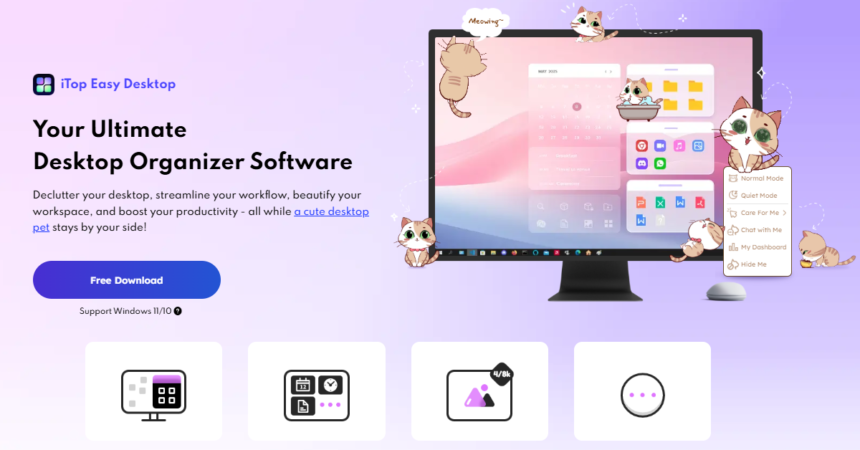
Ever glance at your desktop and feel overwhelmed by the chaos? Icons scattered everywhere, files you forgot existed, and a background you haven’t seen in months. You’re not alone. Most Windows users struggle with desktop clutter, and it silently kills productivity.
Enter iTop Easy Desktop, a desktop organizer and management tool that does more than just tidy up. It transforms how you interact with your workspace entirely.
Why Your Desktop Needs an Upgrade
Let’s be honest. The default Windows desktop wasn’t designed for how we work today. We juggle dozens of files, apps, and shortcuts daily. The result? A messy screen that makes finding anything feel like a treasure hunt.
Traditional folder systems help, but they’re clunky. You still end up clicking through endless directories. What if your desktop could organize itself intelligently while looking stunning? That’s exactly what iTop Easy Desktop delivers.
What Makes iTop Easy Desktop Different?
Unlike basic desktop organizer software, this tool combines functionality with personality. It doesn’t just hide your mess; it creates a system that actually works.
Here’s what sets it apart:
- Customizable Boxes that group related icons together
Easily organize your files with boxes that auto-sort and adjust to your workflow, keeping your desktop tidy and efficient. - Stunning wallpaper library with fresh options
Choose from a rich collection of wallpapers, personalize your space, and refresh your desktop aesthetic anytime you want. - Built-in AI Assistant for productivity support
Meet PawPal, your interactive desktop AI that reminds, chats, and adds fun, keeping you productive and engaged all day. - Privacy features to protect sensitive files
Secure your confidential files in private boxes with safe storage and controlled access to protect your important data. - Practical widgets for everyday tasks
Access essential tools, calendar, notes, and shortcuts directly from your desktop to simplify daily tasks and save time.
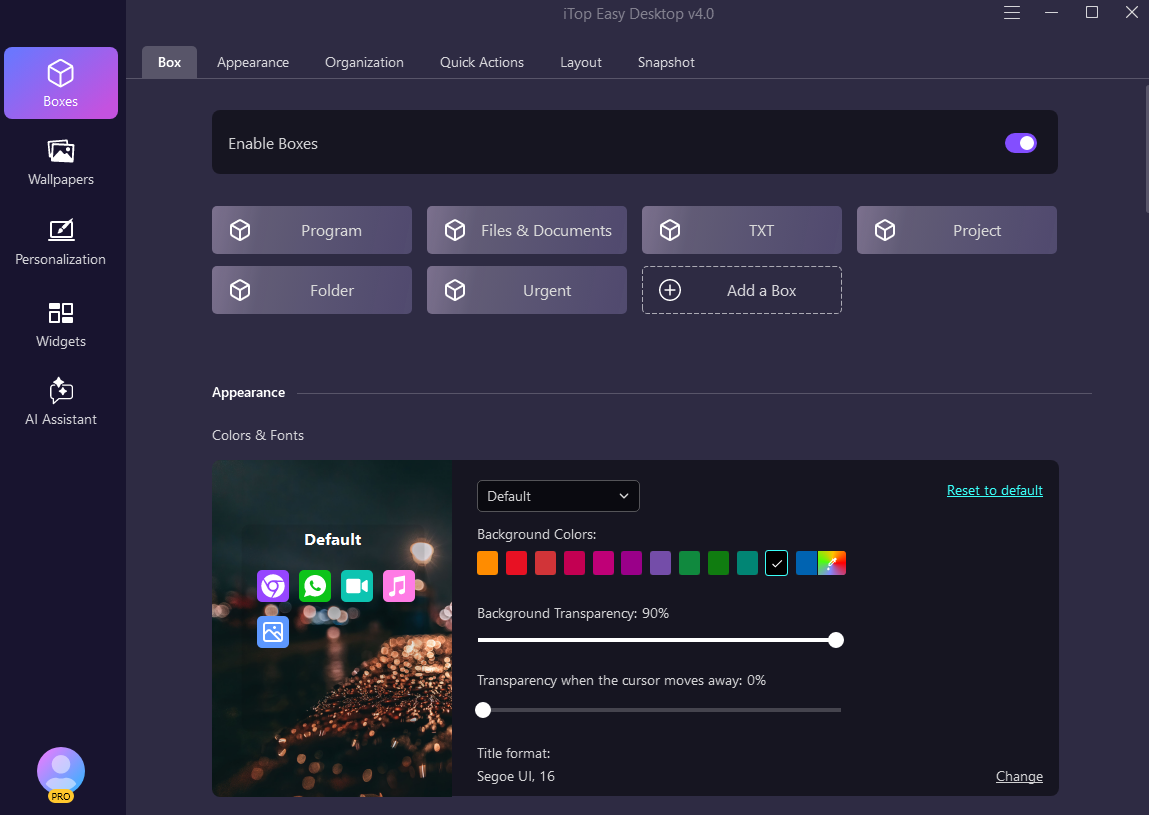
Meet PawPal: Your New Desktop Companion
The latest update introduces something genuinely fun: PawPal, an AI-powered virtual kitty that lives on your desktop.
This isn’t just eye candy. PawPal serves real purposes:
- Wanders across your screen like an actual pet
- Responds to mouse interactions—move, click, or drag to play
- Delivers gentle reminders for important tasks
- Chats with you whenever you need a break
It sounds playful, and it is. But there’s something surprisingly motivating about having a digital companion during long work sessions. Try clicking on her during a stressful afternoon. You might find yourself smiling.
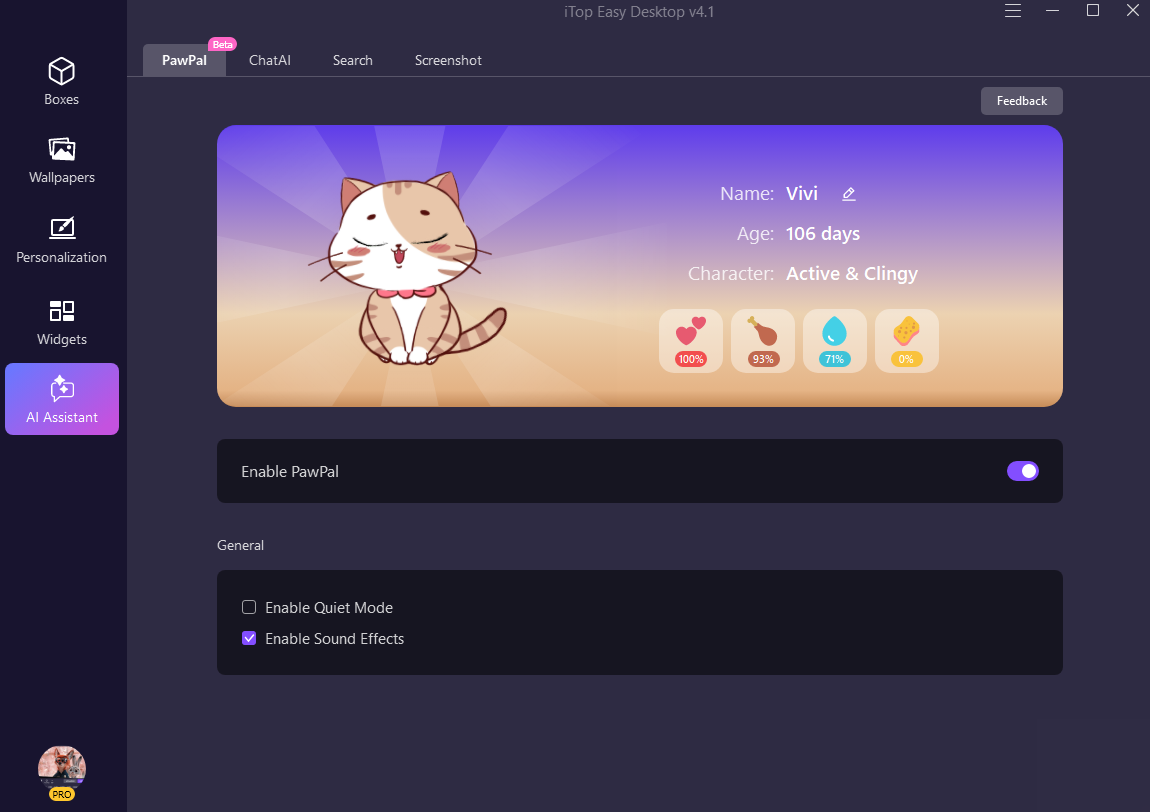
Organize Everything with Smart Boxes
The Boxes feature permanently solves desktop chaos. Think of them as intelligent containers for your icons.
Create boxes for different projects, file types, or workflows. Drag related items inside, and suddenly your desktop makes sense.
Recent improvements include:
- Enhanced List Mode with customizable columns (name, date, type, size)
- Smarter Tab Mode that switches automatically when you move files
- Optimized High DPI display for crisp visuals on any monitor
These updates sound small but feel massive in daily use. Moving files between tabs without extra clicks saves surprising amounts of time.
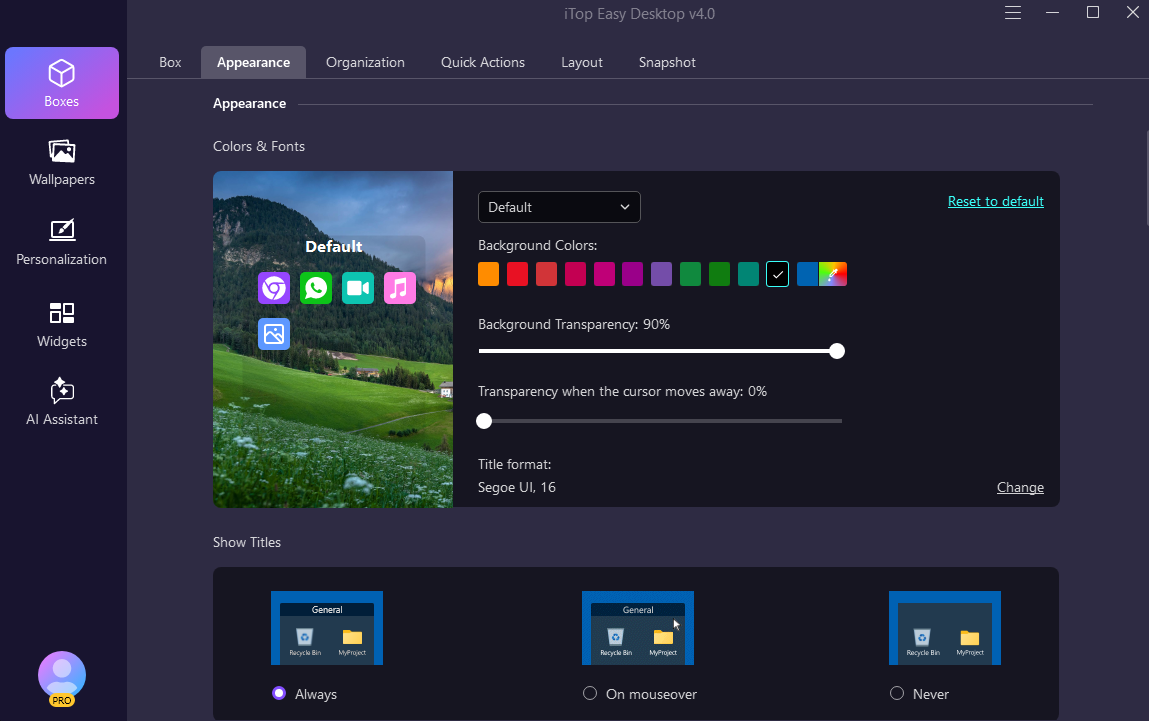
Running an older system? Windows 8.1, 8, or 7 users can grab the V3.2 version instead.
Transform Your Workspace Visually
Boring wallpapers drain energy. Your workspace should inspire you, not bore you.
iTop Easy Desktop includes a wallpaper library that goes beyond basic backgrounds. Browse stunning images, follow creators you like, and discover new options regularly.
New wallpaper features:
- Click any creator’s avatar to explore their full collection
- Set maximum storage limits for downloaded wallpapers
- Enable auto-cleanup to manage space automatically
You can also customize your taskbar, start menu, and even mouse cursor. Creating a cohesive visual theme takes minutes, not hours.
Protect What Matters with Private Box
Some files need extra security. Financial documents, personal photos, sensitive work materials, these shouldn’t be accessible to anyone who glances at your screen.
Private Box creates password-protected spaces for your most important items. Drop files inside, set your password, and breathe easier. No one accesses them without your permission.
Widgets That Actually Help
Forget bloated widget systems that consume resources. iTop Easy Desktop includes lightweight tools you’ll genuinely use:
- iNotes for capturing thoughts quickly
- Schedule for tracking important dates
- Weather for real-time updates
- iPomodoro for focused work sessions
Each widget earns its place on your desktop.
Final Thoughts
Desktop organization shouldn’t require constant effort. iTop Easy Desktop creates systems that maintain themselves while adding personality to your workspace.
Between PawPal’s cheerful presence, smart organizational boxes, and genuine productivity tools, this software delivers where generic solutions fall short. It respects both your time and your creativity.
Ready to transform your cluttered desktop into something you actually enjoy using? Give iTop Easy Desktop a try. Your future self will appreciate the upgrade.